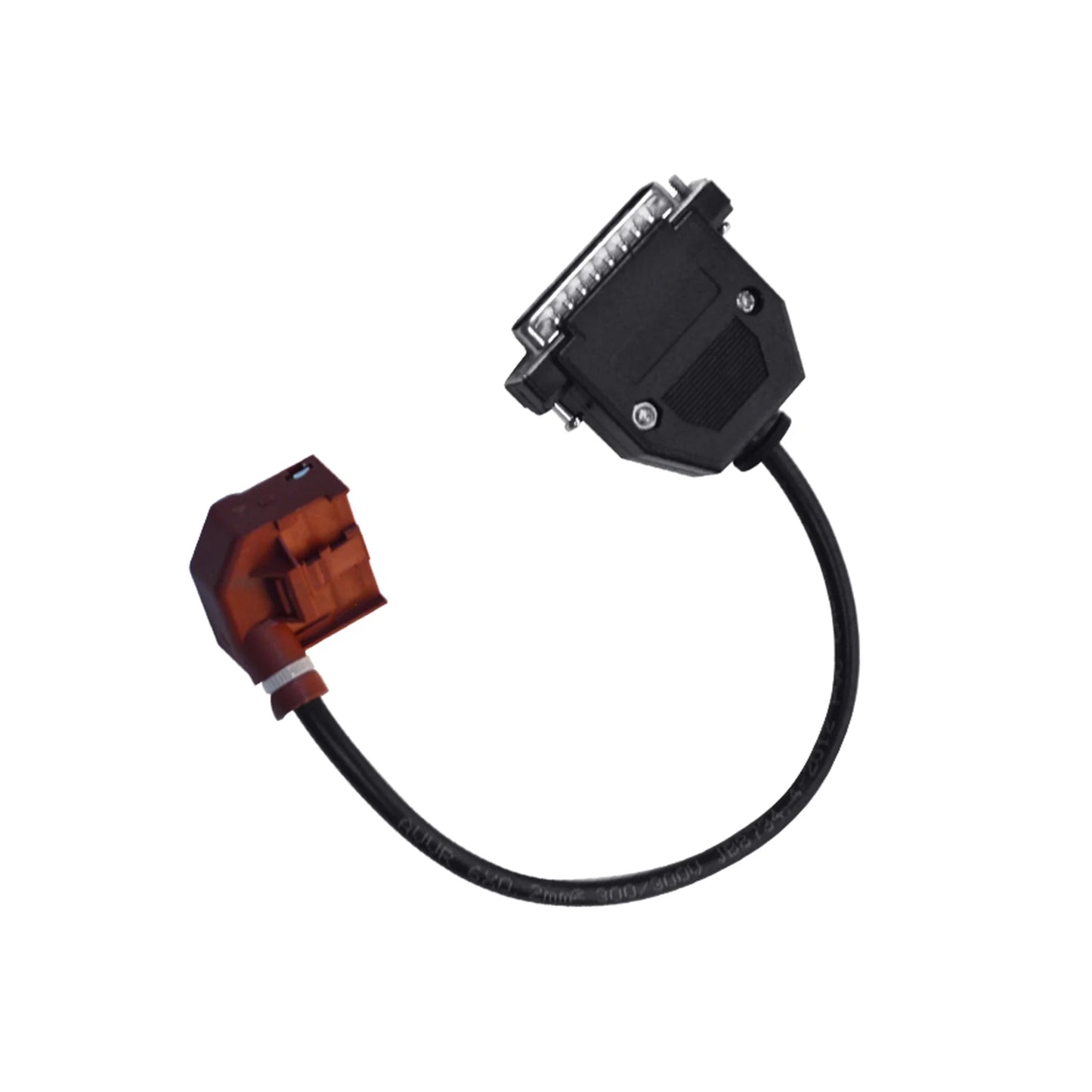
1. Universal solution, three types MCU all can replaced by this emulator.
(replace MCU Mask: 1L59W, 3L40K, OL01Y directly);
2. Stable and durable, No Vulnerable components such as relays, microswitch and motors on it.
3. Easy for replacing, write in the dump form original J518 Module with the WVDI PROG dedicated line directly, No need solder wire.
Note:
The emulator without lock or on lock function, if need the same function as the original J518 Module, please buy the J518 Replacement
The WDI PROG dedicated programming cable connector here is only for programming the emulator board, not for original J518 PCB board.
so if you have a car which need replace the J518 module with this emulator, you need read out the data in the MCU by soldering wire or other methods, then write the data into the emulator MCU via this Dedicated cable connector.
Operating Instructions:
J518 256,128 simulate board instruction
As for reading and programming the original car,pls check the VVDI prog.
If your car is 9S12DG 128 CPU, the operation steps are as follows.
1. Read out the EEPROM data, atttention! Pls save the data, in case of any wrong operation.
2. Put the EEPROM data into the folder"EPROM 2K-4K", then double-click the EEPROM Converter application, and see that the original 2K file becomes 4K, the conversion is successful.
3. After runing the sytem, the file to be 4K, then the programming succeed
Note: You can only double click one time, do not repeat. If the double-click run is unsuccessful, or no 4K file appears, then right-key to run the program in administrator mode.
Connect flashing wire and write the converted EEPROM file. Attention: simulator is a 256 chip then choose J518 (2010) (0L01Y) required.
Each board is with ep data and FLSAH data, so usually you just need to write EP data.If not, you can write the EP data from your car with the FLASH data in the instruction.
If car is 9S12DG 256 CPU, the operation steps are as follows.
1. Read out and save the original car data, and write it directly to the simulator.
VVDI burning line: where: red (thick) =VCC black (thick) =GND yellow =RST purple =BKGD green =XCLKS White =CLK black (fine) =GND-C
without horn
PDG ibma
EU Ship AUDI C6 Q7 A6 Steer Column Module J518 ELV Module Emulator with VVDI Dedicated Programming Cable
EU Ship AUDI C6 Q7 A6 Steer Column Module J518 ELV Module Emulator with VVDI Dedicated Programming Cable
Prix habituel
CFA56,872 XOF
Prix habituel
CFA99,776 XOF
Prix promotionnel
CFA56,872 XOF
Frais d'expédition calculés à l'étape de paiement.
Quantité
Impossible de charger la disponibilité du service de retrait
SPECIFICATIONS
Application: Steering lock repair solution
Brand Name: OEM
Car Fitment: Universal
Combination: Module Emulator
Compatible Module: J518 ELV control unit
Core Function: ELV steering column lock emulator
Function 1: Replaces faulty J518 ELV module
Function 2: Solves steering lock and no-start issues
Function 3: Allows EEPROM data writing
Installation Type: Direct replacement design
Main Material: PCB, Electronic Components
Operating Voltage: Vehicle power supply
Place of Origin: Guangdong, China
Programming Support: Works with external programmer
Screen Size: no
Size: 16cm*12cm*6cm
Type: ELV Module Emulator
User Type: Automotive locksmith and technician
Warranty: 12 Months

Specification
Core Function |
ELV steering column lock emulator |
Function 1 |
Replaces faulty J518 ELV module |
Function 2 |
Solves steering lock and no-start issues |
Function 3 |
Allows EEPROM data writing |
Compatible Module |
J518 ELV control unit |
Application |
Steering lock repair solution |
Programming Support |
Works with external programmer |
Installation Type |
Direct replacement design |
Operating Voltage |
Vehicle power supply |
User Type |
Automotive locksmith and technician |
Product Description
Applied to repair the AUDI sixth Gen A6 Q7 Audi C6 steering column lock J518 ELV module failure replacement emulator.
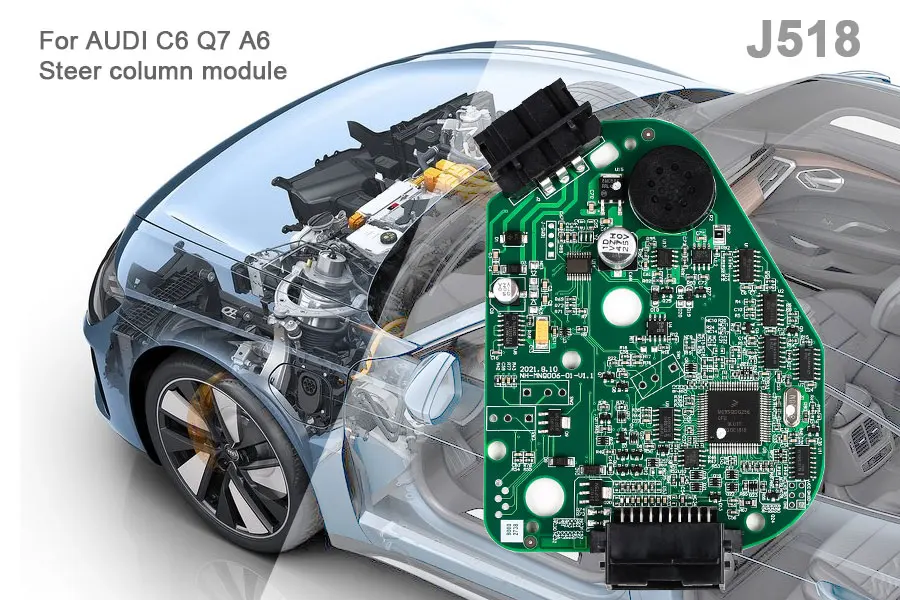
AUDI C6 Q7 A6 Steer Column Module J518 ELV Module Emulator with VVDI Dedicated Programming Cable
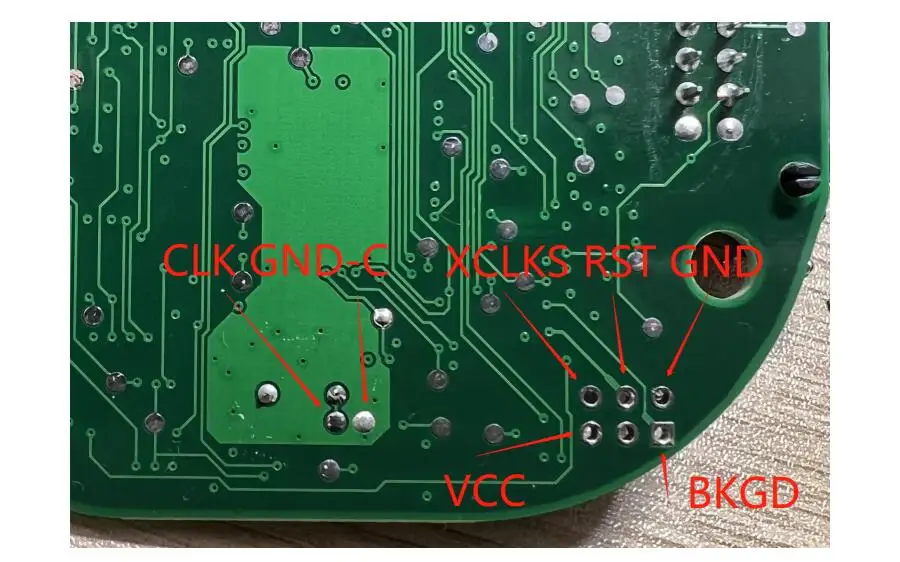
With horn: wiring according to the silk print in the board ,same as board wihtout horn
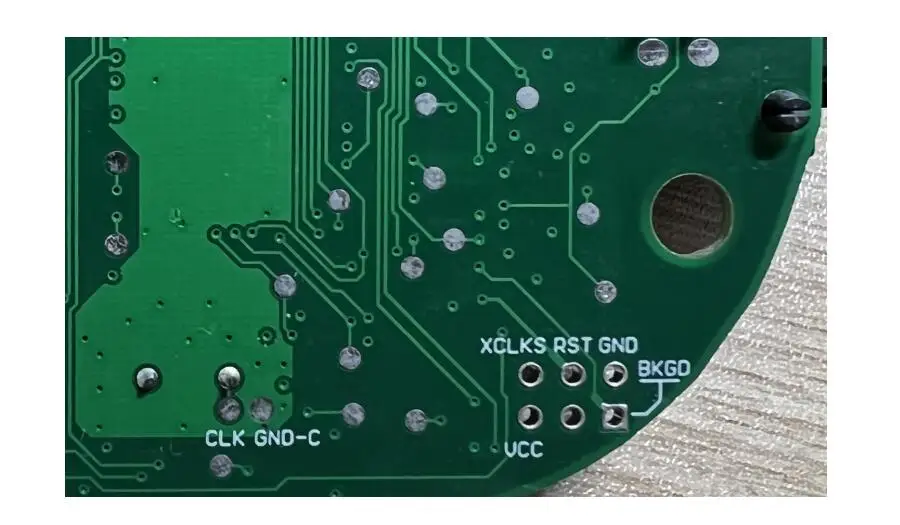
Buy our special burning line, with speakers you can avoid welding burning, directly connect the 20pin port.
Attention:
The simulator is burned after the test, preferably on the car.
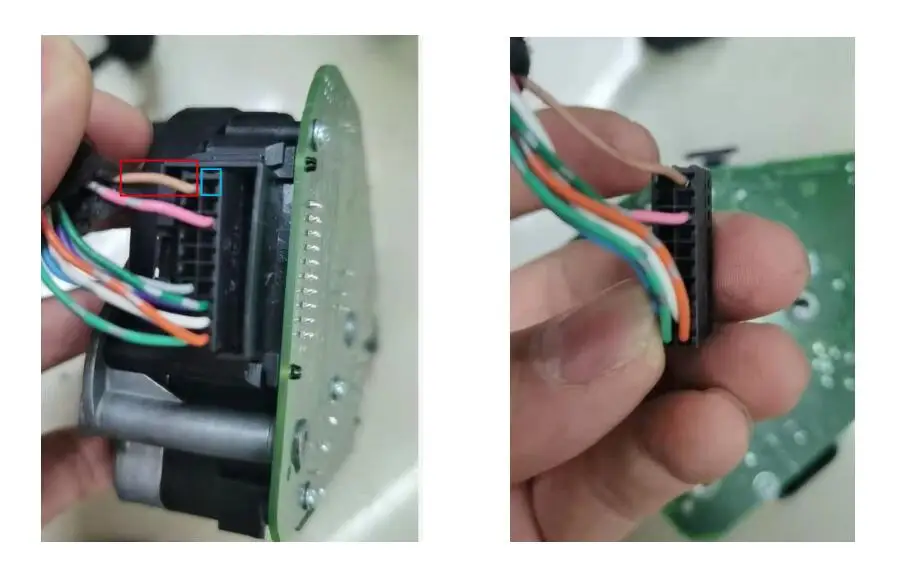
In the platform test, it is necessary to check the wiring of 20Pin port. Some of the platform wiring harness have production
problems and are compatible with our burning interface, which may lead to chip damage.
Error wiring: 10 (red) should recover after 20 (blue) or as shown in the figure.
Attention:
The simulator is burned after the test, preferably on the car.
In the platform test, it is necessary to check the wiring of 20Pin port. Some of the platform wiring harness have production
problems and are compatible with our burning interface, which may lead to chip damage.
Error wiring: 10 (red) should recover after 20 (blue) or as shown in the figure.
Package includes:
1pc x AUDI C6 Q7 A6 Steer column module J518 ELV Module Emulator with VVDI Dedicated programming cable
1pc x AUDI C6 Q7 A6 Steer column module J518 ELV Module Emulator with VVDI Dedicated programming cable
Company Profile