PDG ibma
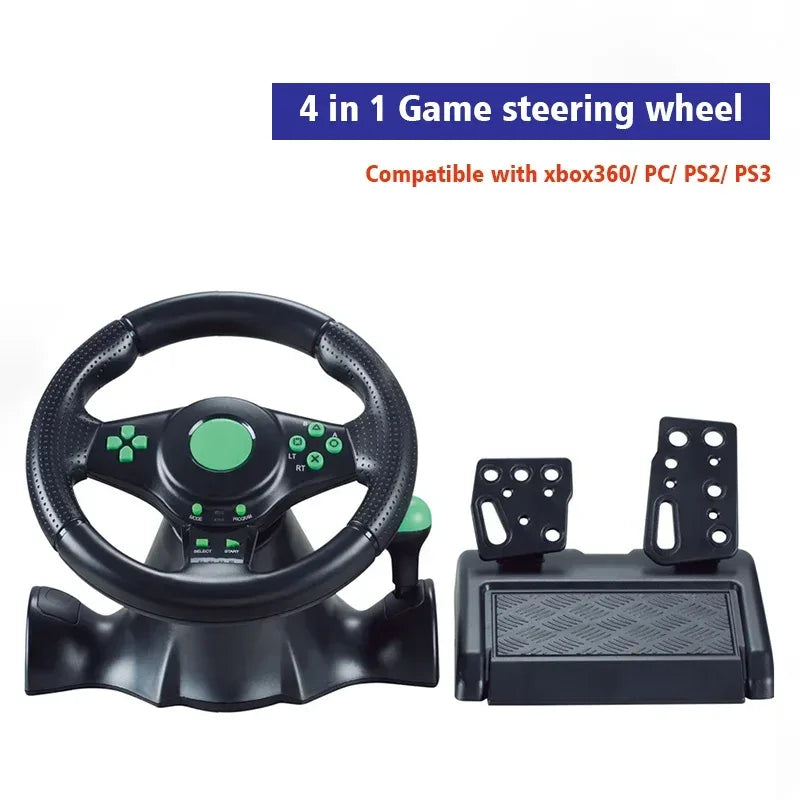
DATA FROG Racing Steering Wheel Vibration Controller Sim Racing Wheel with Pedals for PC Gaming Console Universal Gamepad
DATA FROG Racing Steering Wheel Vibration Controller Sim Racing Wheel with Pedals for PC Gaming Console Universal Gamepad
Impossible de charger la disponibilité du service de retrait
SPECIFICATIONS
Brand Name: DATA FROG
Choice: yes
Compatible Platforms: xbox,Nintendo Switch,PC,playstation
Connection: Wired
Console/System: Windows 11,PlayStation 4,Windows 7,Windows XP,PlayStation 3,Windows 10,Xbox One,Switch lite,Switch,Switch OLED,Windows 8,Windows 7-11
Force Feedback: No
High-concerned chemical: None
Maximum Rotation Angle: 180 °
Model Number: YJ0629215
Origin: Mainland China
Power Supply Mode: Wired Power Supply
Shift Mode: Paddle
Wheel (Real Quick Release): No
With Pedal Set: Yes
 How to choose compatible version for your game console :
The 2 in 1 option means it is for PC / PS3
The 3 in 1 option means it is for PC / PS2 / PS3
(Note: You need to download the driver when connecting 3in1 to PC)
The 4 in 1 option means it is for PC / PS2 / PS3 and Xbox 360
The 7 in 1 option means it is for PC / PS3 / Xbox 360 and Xbox one / PS4 / Switch / Android
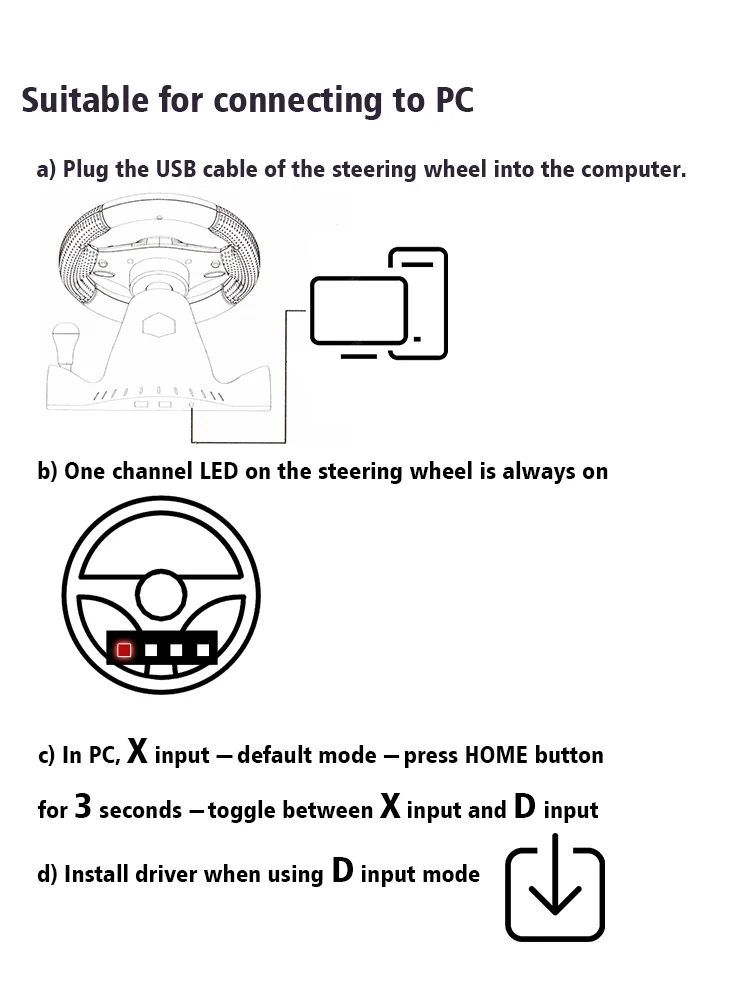
How To Connect To PC
a) Plug the USB cable of the steering wheel into the computer.
b) One channel LED on the steering wheel is always on
c) In PC, X input is recognized as default mode.
Press the HOME button for 3 seconds to toggle between X input and D input.
d) Install the driver when using D input mode.
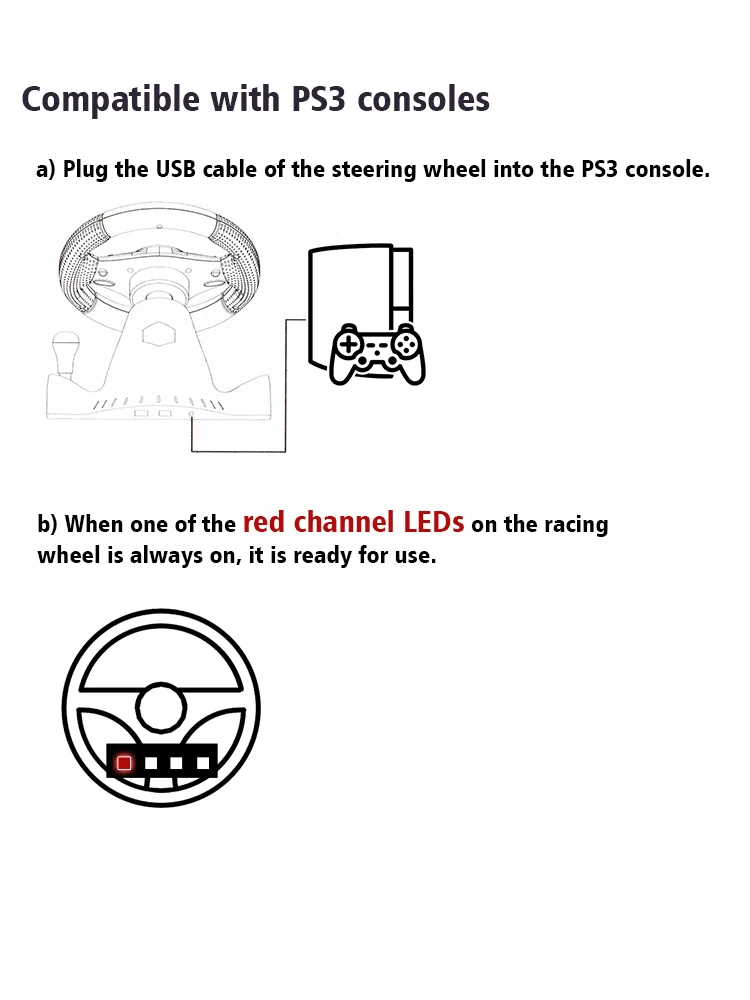
How To Connect PS3
a) Plug the USB cable of the steering wheel into the console for PS3.
b) When one of the red channel LEDs on the racing wheel is always on, it is ready for use.
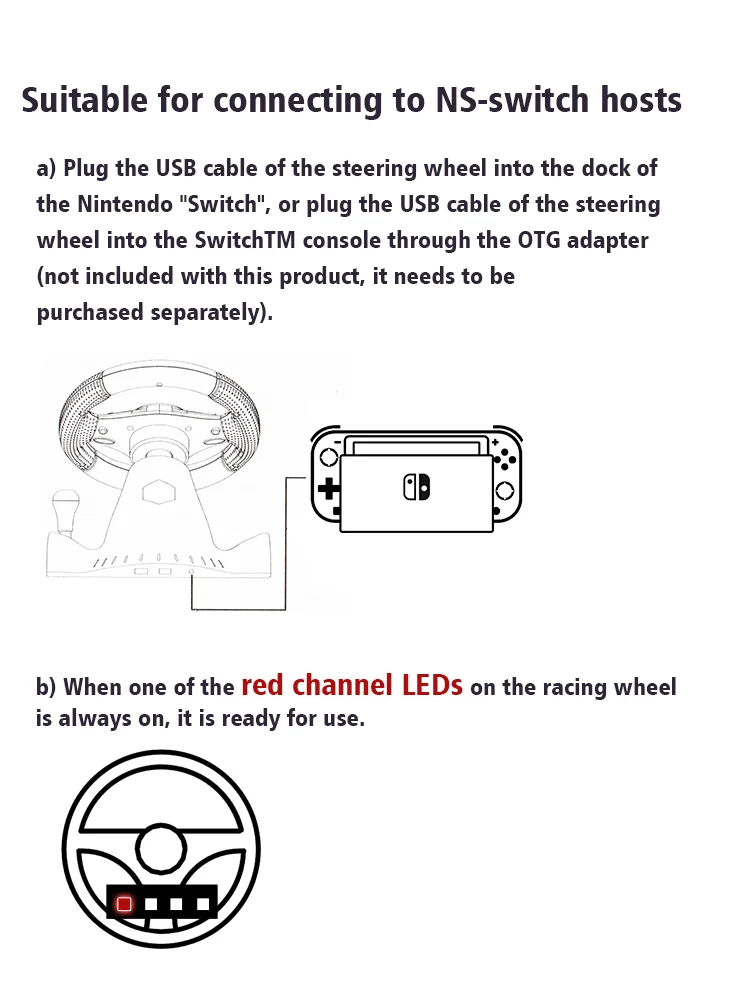
How To Compatible-Switch
a) Plug the USB cable of the steering wheel into the dock of the compatible- Switch, or plug the USB cable of the steering wheel into the SwitchTM console through the OTG adapter (not included with this product, it needs to be purchased separately).
b) When one of the red channel LEDs on the racing wheel is always on, it is ready for use.
How To Connect Android Devices
a) Plug the steering wheel USB cable into your Android TM smart TV or set-top box, or plug the steering wheel USB cable into your Android smartphone via an OTG adapter (not included with this product, which needs to be purchased separately).
b) When one of the red channel LEDs on the racing wheel is always on, it is ready for use.

How To Connect PS4/Xbox One Consoles
a) Connect the appropriate original game controller or a third-party compatible game controller to the USB Type-A port on the rear of the steering wheel.
b) Plug the USB cable of the steering wheel into the game console.

Packge Included
Please select the corresponding one for your game console.
1* Steering Wheel
1* Pedals