PDG ibma
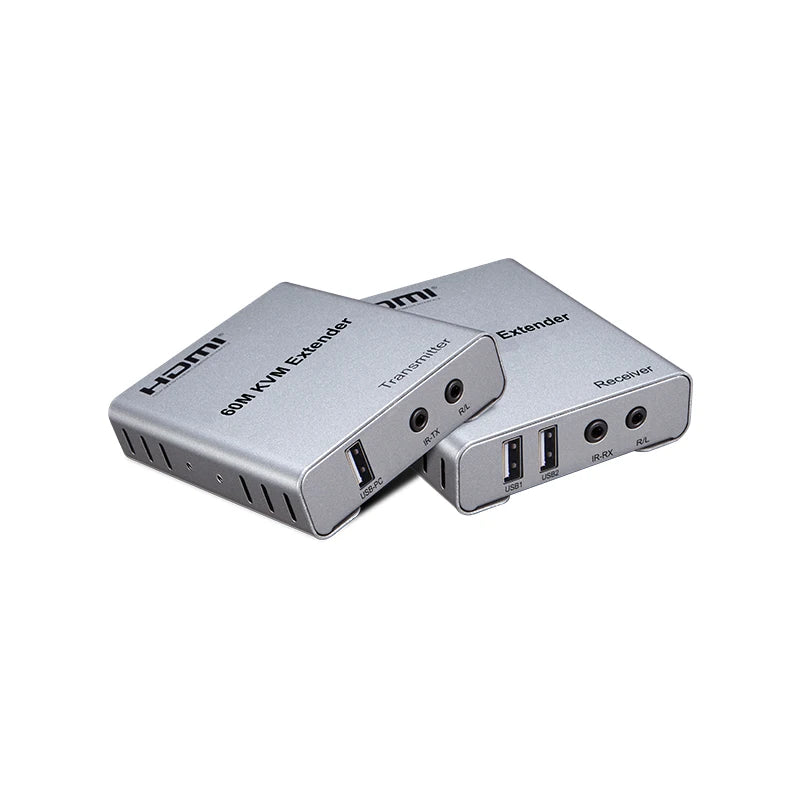
1080P 60M HDMI Extender with KVM USB
1080P 60M HDMI Extender with KVM USB
Impossible de charger la disponibilité du service de retrait
60M HDMI KVM extender 1080p

Features:

Operating and Connecting:
1.Connect one HDMI cable between source device and TX Extender
2.Connect one HDMI cable between sink device and RX Extender
3.Connect Single cat-5e or cat-6(recommended) cables up to 200 meters instead of HDMI cables between TX and RX Extender
4.Connect 5V power supply to the Extender
SPECIFICATIONS:
|
Length of CAT-6 cable between Rx and TX |
Up to 60 metres |
|
HDMI Resolutions |
1080p/1080i/720p/576p/576i/480p/480i
|
|
Max bandwidth |
150MHz |
|
Max baud rate |
4.5Gbps |
|
Input Video signal |
0.5~1.5Volts p-p |
|
Output DDC signal |
5Volts p-p (TTL) |
|
HDMI cable distance |
Input<=10m AWG26 HDMI standard cable output<=15m AWG26 HDMI standard cable |
|
Power adapter format |
Input:AC (50HZ~60HZ) 100V-240V; Output: DC5V/1A |
|
TX max working current
RX max working current
|
300mA 300mA |
|
Operating Temperature range |
(-15 to +45 Centigrade) |
|
Operating Humidity range |
5 to 90%RH (No Condensation) |
|
Dimension (L x W x H) |
94x84x24mm
|
|
Weight |
220g*2PCS |
Connecting and Operating:
1.Connect one HDMI cable between source device and TX Extender, the max cable
distance is 10 meters.
2.Connect one HDMI cable between display device and RX Extender, the max cable
distance is 15 meters.
3.Connect single cat-5e or cat-6(recommended) cables instead of HDMI cables between
TX and RX Extender, the max cable distance is 60 meters.
4.Connect 5V power supply to the TX and RX.
6.EDID button: The button can support the switch of EDID between 720P and 1080P.(1080P is the default EDID when the power is on).
7.Plug the IR receiver cable into the receiver,and IR transmitter cable plug into the transmitter if you need the IR receiver cable,aim at the equipment which needs to control.